
Playlist Transfer for My Music
Virals Dijital Hizmetler A.S.Music & Audio
4.4543.00 Reviews
- Version
- 2.4.4
- Installs
- 100.00K
- Age Rating
- Everyone
Screenshots
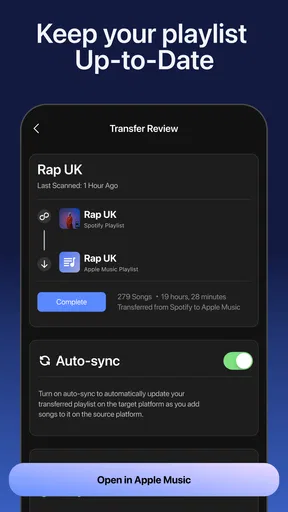
Our Review of Playlist Transfer for My Music
 Analysis by Appyee
When people in one household use different music services, playlists can become oddly personal territory. One person may keep a long-running Spotify mix, while another listens through Apple Music or YouTube Music; sharing a playlist then turns into a manual hunt for matching tracks. I see the appeal of Playlist Transfer for My Music in that situation: it gives you a way to move a collection between services instead of rebuilding it song by song. The useful question is not only whether it can transfer a playlist, but whether it fits the way you and the people around you manage music.
A shared playlist can still belong to one person
A realistic use is a household preparing for a change of service. Perhaps one person has decided to try a different platform, but another still wants to keep listening to familiar playlists. A transfer can help carry a selection across, while leaving each listener to use their own music account and preferences. That is more practical than trying to make one shared login serve everyone.
I would treat the app as a bridge for collections, not as a household music manager. A playlist transfer does not, by itself, coordinate who edits a list, decide which version is the family favorite, or make everyone’s accounts interchangeable. If several people have their own carefully maintained playlists, it is worth agreeing whose collection is being moved and where it should land before anyone starts. That small conversation can prevent a copied playlist from being mistaken for a jointly curated one.
Keep account choices deliberate
For a shared-device setup, the main practical boundary is whose music-service account is active during the transfer. I would avoid moving playlists while someone else is signed in, especially if the device is passed between adults or older children. Check the account shown in the relevant music service before selecting a source or destination, and have the account holder make the choice rather than assuming the device owner and playlist owner are the same person.
This also matters when a household is testing a new service. Moving a few representative playlists first is a better trial than trying to relocate an entire listening history at once. Pick one short mix and one collection with less familiar tracks, then check the results in the destination service. You will learn whether the workflow suits your household without making a large batch of decisions that are tedious to review afterward.
Coordinate before making copies
One useful habit is to label or otherwise distinguish a transferred playlist in the destination service, if that service’s own tools allow it. That makes it easier to tell the moved copy from the original and reduces the chance that one person edits the wrong version. I would also agree on a simple rule: keep the source playlist as the reference until everyone has checked the new one. This is a low-effort safeguard when the list contains years of personal picks.
Another trade-off is that a successful transfer is not the same as a shared listening arrangement. The destination service still governs how its playlists are accessed and edited. If the real goal is for multiple people to contribute to one evolving mix, first check whether that music service offers the collaboration tools you want. Playlist Transfer for My Music can help move a starting collection, but it should not be treated as a replacement for those service-specific controls.
Age and trust in a family setting
The app is rated for Everyone, which makes its age context straightforward, but that rating does not mean every account decision should be left to a child. Music-service sign-ins and playlist choices are still personal account matters. For a younger listener, I would keep an adult involved in choosing the accounts and reviewing the destination playlist, particularly if a family device is shared.
Virals Dijital Hizmetler A.S. is the developer, and the app’s focus is music and audio rather than parental supervision or household administration. I would not rely on it to set listening rules or manage a family’s access. Its role is narrower and easier to understand: help with moving playlists and related music-library tasks. Keeping that distinction clear makes it less likely that someone expects it to control things that belong to the streaming service.
Why Playlist Transfer for My Music is a Lifesaver
If you’re like me, your playlists are sacred. They’re a culmination of years of hits, obscure gems, and guilty pleasures. Switching platforms used to mean starting from scratch. But with Playlist Transfer for My Music, you can move all those tunes from one service to another without breaking a sweat. It’s like magic, but real.
Getting Started: Simple and Straightforward
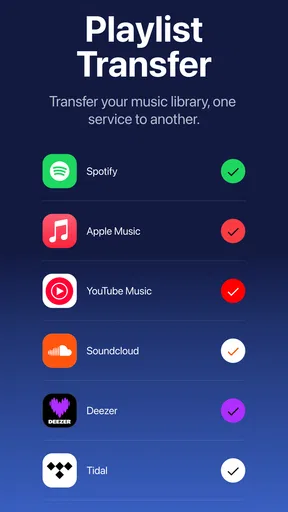
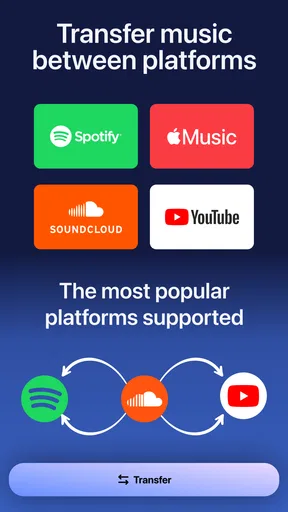
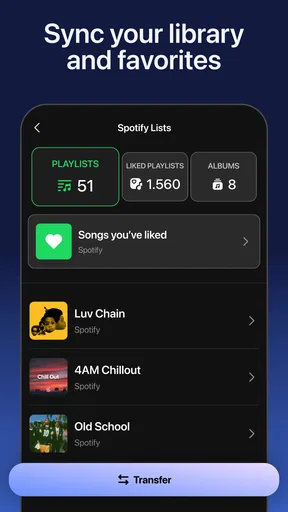
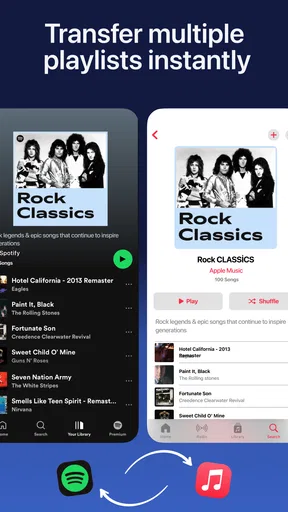
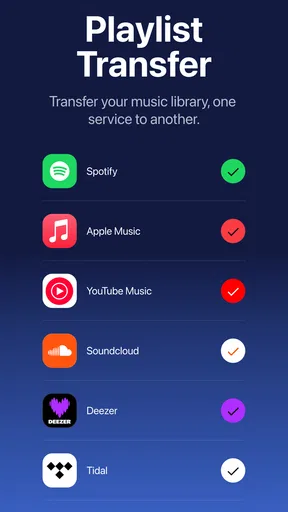
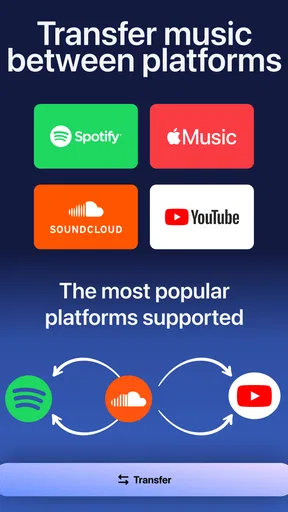
First off, the app is super user-friendly. I’m talking about a clean, straightforward interface that even my tech-challenged friends could navigate. You start by logging into your music services through the app. It's compatible with all the big names—Spotify, Apple Music, YouTube Music, and more. Once you’re in, you just select the playlists you want to transfer and hit go. Seriously, it’s that easy.
Speed and Efficiency: No More Waiting Around
One thing that impressed me was how quickly the app processes transfers. I’ve got some hefty playlists, and I was fully prepared to wait it out. But to my surprise, the transfer process was speedy. It’s optimized to handle large playlists without a hitch. So, you can switch platforms without missing a beat—literally.
Accuracy: Keeping Your Playlists Intact
Now, here’s where it gets interesting. You might worry about song mismatches or missing tracks during the transfer. I’ve been there, and it’s the worst. But this app really nails it. It matches songs with impressive accuracy, even those indie tracks that are harder to find. Your playlists arrive on the other side just as you left them, which is a huge relief.
Additional Features: More Than Just Transfers
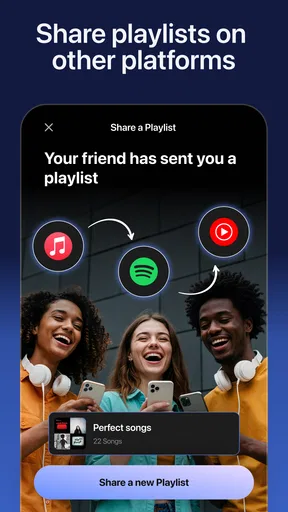
Beyond just shuffling playlists around, the app offers some neat extras. You can back up your playlists to the cloud, which gives you peace of mind in case anything goes haywire with your streaming service. Plus, there’s an option to share your playlists with friends across different platforms. Imagine introducing your Apple Music buddy to your carefully curated Spotify list! It’s a social connector in disguise.
Pricing: Worth Every Penny
Now, let’s talk cost. The app offers a free version, which is great for testing the waters. But to access all features, there’s a premium option. Honestly, for the convenience and peace of mind it provides, it’s well worth the investment. You’re not just paying for an app; you’re paying for a seamless music experience.
For a more grounded view of the cost, the app is free to install, with in-app purchases ranging from $7.99 to $39.99 per item. I would check which features are included in the option I’m considering before paying, then decide whether I need them for a one-time move or ongoing playlist upkeep. If you only want to transfer a small set of lists, begin with the free experience and see whether it covers your immediate task; if you expect to use the extra tools regularly, compare that convenience with the price shown in the app.
Where it fits among music tools
The usual alternative is to rebuild playlists manually in the destination service. That gives you the most control over every track, but it can be slow and easy to abandon when a list is long. A transfer app offers the opposite trade-off: less repetitive work, with a need to review the result because music catalogs do not always line up perfectly. For a small playlist of familiar hits, manual recreation may be just as sensible. For a substantial collection you want to carry over, a dedicated transfer workflow is more appealing.
It is also different from using a streaming service’s own playlist and discovery features. Those are better for finding new music, listening, and maintaining a list once it lives on that service. Playlist Transfer for My Music is useful at the boundary between services, when the problem is getting an existing collection from one place to another. I would not install it expecting it to replace a music player or improve recommendations; its value is in reducing the work involved in a switch.
Make the first transfer a careful one
My practical tip is to start with a playlist whose contents you know well. When it appears in the destination, scan the beginning, middle, and end rather than assuming a completed transfer means every selection is exactly right. Pay particular attention to alternate versions, live recordings, remixes, and less widely available releases. A familiar test list makes mismatches easier to spot and helps you judge whether to move more collections.
For an important archive, keep the original playlist untouched until you have checked the copy and are comfortable using it. This is especially useful if you are moving a shared household mix: one person can verify the transferred tracks before others rely on it for a trip, workout, or background music. That approach takes a little longer than pressing transfer and walking away, but it is a sensible balance between convenience and confidence.
Who will get the most from it
I think the best fit is someone changing streaming services, maintaining playlists across more than one platform, or helping a friend take a handpicked collection to a different service. It also makes sense for a household where each listener has separate accounts but wants to share a starting point, provided the account holder checks the destination and everyone understands which copy is being edited.
It is less compelling if you rarely use playlists, listen mainly to albums, or are happy to rebuild a short list yourself. It may also be the wrong choice if you want a single tool to organize every person’s account, settle collaborative-editing questions, or guarantee that every recording has an exact counterpart on another service. In those cases, the streaming service’s own tools—or careful manual selection—may be a better fit.
What to expect before installing
The app has a 4.4 average from around 13,000 ratings, and it has passed 100,000 installs. Those figures suggest that playlist transfer is a familiar need for many listeners, but they do not tell me whether a particular track will match in your region or whether your own account setup will feel smooth. I would treat them as a sign of an established audience, not a substitute for testing the workflow with a playlist that matters less.
It was released on October 14, 2024, and version 2.4.1 is the current version. It requires Android 10 or newer. Those details are useful if you are installing it on an older phone or a shared household device: check the operating system first, and make sure the device is running a version that can use the app. The age rating is Everyone, but account access and the choice of music service still deserve adult attention where children share the device.
Final Thoughts: A Must-Have for Music Lovers
In a world where music is such a personal part of our lives, Playlist Transfer for My Music offers a service that feels essential. It’s like having a personal assistant specifically for your playlists. Whether you’re a casual listener or a music aficionado, this app makes managing your tunes across platforms a breeze. So, if you’re thinking about making the switch, or just want the security of knowing you can, this app is a must-try. Trust me, you’ll wonder how you ever lived without it.
My household verdict is a little more measured: I would use it when there is a clear transfer job, a known playlist owner, and time to check the destination copy. I would skip it for casual listening or expect it to manage everyone’s music life automatically. As a music-and-audio app, it is most useful when preserving a collection matters more than starting fresh. Give it a small, representative test first, then decide whether its convenience earns a place in your routine.
Verdict
Strengths of Playlist Transfer for My Music
- Seamless transfer between platforms.
- Supports multiple music services.
- User-friendly interface design.
- Fast transfer speeds.
- No data loss during transfer.
Limitations of Playlist Transfer for My Music
- Limited free version features.
- Some services require premium.
- Occasional sync issues.
- Needs stable internet connection.
- No offline mode available.
Similar Picks in This Category
View All
YouTube Music
Google LLC4.4

Samsung Music
Samsung Electronics Co., Ltd.3.8

Spotify: Music and Podcasts
Spotify AB4.3

JioSaavn - Music & Podcasts
Saavn Media Limited4.3

Lark Player:Music Player & MP3
Lark Player Studio - Music, MP3 & Video Player4.6

StarMaker: Sing Karaoke Songs
SKYWORK AI PTE. LTD.4.3
Frequently Asked Questions
What is Playlist Transfer for My Music and how does it work?
Playlist Transfer for My Music is an app designed to help users seamlessly transfer playlists between different music streaming platforms. It works by connecting to your music accounts, allowing you to select and move playlists with just a few taps. This app supports various popular music services, ensuring a smooth transition without the need to manually recreate playlists.
Is Playlist Transfer for My Music compatible with all music streaming services?
While Playlist Transfer for My Music supports a wide range of popular music streaming services, such as Spotify, Apple Music, and YouTube Music, not all platforms may be compatible. It’s important to check the app’s supported service list in the app description to ensure your desired platforms are included before downloading.
Are there any costs associated with using Playlist Transfer for My Music?
The app may offer both free and premium versions. The free version usually includes basic features with some limitations, while the premium version provides full access to all functionalities. It’s advisable to review the pricing details within the app or on its official download page to understand any potential costs involved.
How secure is the data transfer process in Playlist Transfer for My Music?
Playlist Transfer for My Music prioritizes user security by utilizing secure connections to transfer playlists. The app requires authentication through your music accounts to access and move playlists, ensuring that your data remains protected during the process. Always ensure you download the app from official sources to avoid security risks.
Can Playlist Transfer for My Music handle large playlists efficiently?
Yes, Playlist Transfer for My Music is designed to handle playlists of varying sizes efficiently. However, the transfer speed may vary depending on the size of the playlist and the platforms involved. For best results, a stable internet connection is recommended to ensure quick and smooth transfers.
